
Servers, the browser and the login queue
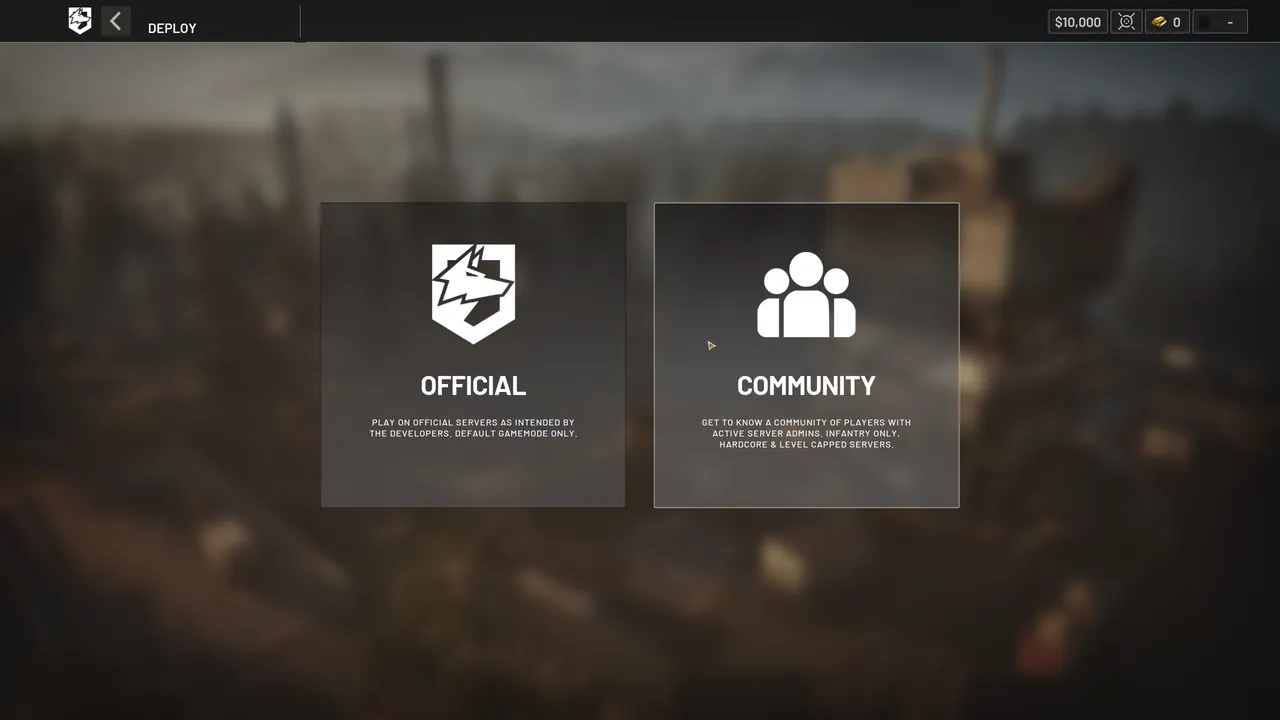
WARDOGS does not put you in a match. You pick a server from a list, and Patch 0.11 splits that list in two, Official and Community, which behave differently enough to be worth choosing between on purpose.
A browser, not matchmaking
The studio said this long before launch: “I mean, matchmaking, we only use server browser. There’s no skill-based matchmaking, or aggression-based matchmaking, or anything else.” Said in Steam announcement — Answering Your Questions A server holds up to 100 players, an admin can set a lower cap, and because players drop in and out of a long match the studio expects teams to sit between roughly 27 and 33 people for most of it.
With Patch 0.11 it also admitted the trade-off: “A game with this many players realistically should be using matchmaking, and server browsers aren’t massively fit for purpose, but we don’t want Community admins and hosts to suffer.” The split into two lists is its answer. From Steam announcement — Scheduled Maintenance & Patch 0.11
Official or Community
| What | Official | Community |
|---|---|---|
| Run by | The studio | Admins, on rented servers from approved hosts |
| Browser filters | Removed: there are no modified official modes to filter | Kept, and made more reliable |
| Finding a server | The list | Text search, and a server ID that now survives map changes and restarts |
| Moderation | In-game reports | Admins can ban on the spot |
| Cash and XP | Persistent | Persistent when the server runs an officially supported mode, such as infantry-only or hardcore |
The browser rows come from the Patch 0.11 notes; the moderation and persistence rows from the studio’s anti-cheat video. Said in Steam announcement — The 11th Reason NOT To Buy WARDOGS Community server IDs used to be wiped on every map change and restart, which made a favourite server hard to find again; with the patch they persist, and they get longer for security. The studio also promised a week of 5% end-of-match cash bonus on community servers, as an apology for how the browser had treated them.
For cheating specifically, the studio’s own advice points at community servers, and the full reasoning is on the anti-cheat page. They are also why the crossplay question is really a question about which server you are on.
Running one
Community servers come from approved hosting partners. The anti-cheat post before launch named three: QONZER, BisectHosting and xREALM. The Server Hub page on wardogs.com links out to BisectHosting and xREALM and to a Discord for server admins. The same patch points the in-game Host button to the right place.
Servers that get an account banned
Some community servers exist to farm XP, and the studio says it tracks which servers each account joins: “If your account is tracked as joining one of these servers for more than a few minutes, we will ban your account permanently.” From Steam announcement — Scheduled Maintenance & Patch 0.11 Exploiting cash bugs brings a timed ban plus a reset of cash and XP, which is the one reset that does not wait for the end of a season.
The two kinds of ban reach different distances. A community server admin can ban you from that server for any reason, and the studio does not review or overturn those. A ban from the studio blocks all online play, community servers included. Set out in wardogs.com — Security and Enforcement What can be appealed is on the anti-cheat page.
The login queue at launch
Launch night produced three problems at once: players who could not join servers, players kicked mid-match, and long login queues. The fix was a client hotfix that forced everyone out: “Once the update has been installed and you relaunch the game, all players will return to the login queue.” Players were then admitted in controlled batches. From Steam announcement — Launch Stability Hotfix #1
The studio explained the cause in a recap video filmed the next day. Joining the queue gets you a login ticket from Valve, and the ticket is checked when you reach the front; a ticket that had waited too long was no longer valid, so most players reaching the front were turned away and the line kept growing. Logins were meant to go through at 100 a second and about 10 were succeeding. The hotfix hands out a fresh ticket at the front of the queue, and the team then let players in, at first 10,000 at a time, waiting for each group to settle before the next. Explained in BULKHEAD video — WARDOGS | Launch Day Recap
The same video confirms a queue jump was used for about 11 streamers, which the studio defended as entertainment for people stuck waiting while also conceding the point: “That’s on me and that was my decision. It is a bit unfair.”
The queue sits inside the running game, which matters if you are deciding whether to keep it: Steam tracks playtime while the game is running, not only while you are in a match, so waiting is likely to count toward the two hours that decide a refund.
Promised next, without dates
- Favouriting community servers
- Tiered priority queues for community servers
- A message of the day prompt
- Better warm-up activities
- Kicking idle players while a server is seeding
- Controls for disabling team switching
Listed in the Patch 0.11 notes as in progress. That patch’s maintenance window was announced as a Steam post with a table of local times, and posts like it land on the patch timeline. If what you are seeing is a code rather than a queue, error codes and crashes sorts the two apart. Getting a group of friends onto the same server and side is on the squads page.